


Collect payments on-site in seconds
Payments Get paid on-site
Stop chasing checks. This training shows you how to take payment right on the job site, from setting up Stripe and Tap to Pay to sending secure payment links and tracking your payouts.
Take the quiz and earn 1 IICRC CE Credit.
What you’ll learn:

Setting up your Stripe account
Enabling Tap to Pay
Collecting payments in the field
Sending secure payment links
Tracking transactions and payouts
Handling refunds and disputes
The IICRC does not endorse any educational provider, product, offering, or service. The Institute expressly disclaims responsibility, endorsement or warranty for third-party publications, products, certifications, or instruction. The approved status does not award IICRC Certification, only qualified continuing education hours.

Watch training video below
Payments – Office
Payments – Field

Click the menu icon to select a chapter marker

Click the language icon to select Spanish or French translation
 Approved CE Provider
Score 80% or higher to earn your IICRC CE credit — request your certificate in the quiz.
Approved CE Provider
Score 80% or higher to earn your IICRC CE credit — request your certificate in the quiz.
*Please check your email for your quiz results and your completion badge.
Additional resources

Tracking and reporting
Understand how to view transaction status and your Stripe dashboard
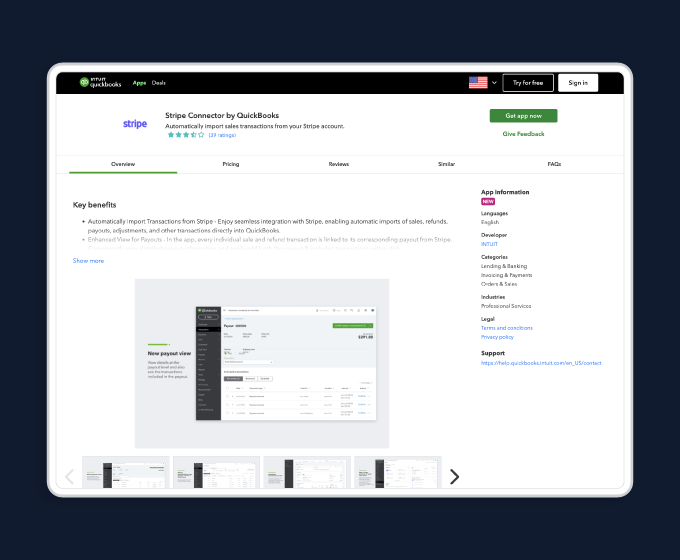
Quickbooks integration
Suggestions for integrating Stripe with Quickbooks via 3rd party apps

Live Training Sessions
Learn to use Encircle with other software tools.
FAQs
This training is for anyone who is looking to get started collecting Payments quickly and securely in the field. Because Encircle offers unlimited seats in every subscription, anyone on the team can request and collect a payment from a customer, at any time of day.
Getting started with Payments starts with setting up a Stripe account. This is a simple step-by-step process. This process should be done by someone who has the authority to represent the organization and is a primary contact for the account. See the Stripe Account Setup Guide for more details.
Use Tap to Pay on your phone – it’s the fastest and easiest way to request and collect a payment on-the-spot. Simply open the job, tap the top-right menu, and select Request Payment. Choose Tap to Pay, enter the amount and hold your phone out so the customer can tap their card or mobile wallet. You can find more information on collecting payments in our Help Center.
You can connect your Stripe account to QuickBooks using a 3rd party tool from the QuickBooks App store. Here is a guide to Connecting Stripe to QuickBooks.
When you complete your quiz you’ll be asked if you require an IICRC CE certificate. If you selected the option to receive an IICRC CE certificate on the form and achieved more than 80% on the quiz, we’ll email you a PDF certificate shortly after completion. Certificates are sent quickly, but please allow up to 5 minutes for delivery.
You can submit your certificate to the IICRC in one of the following ways:
- Email the PDF to renewals@iicrcnet.org OR
- Upload it through your IICRC account at iicrc.org. Under My Account Links, select Report CECs and follow the prompts to enter your CEC information.
- Join a live training session — offered four times a week, covering every Encircle workflow
- Visit our Help Center — explore step-by-step articles, guides, and best practices
- Connect with us — reach out to our Support Team or your Account Manager for personalized assistance