


What’s New at Encircle: Showcasing the latest product updates
Integration enhancements, Hydro updates, and more
Here are the highlights:
- Xactimate integration enhancement adding fixed features to sketch
- Hydro updates, including the integration with Tramex moisture meters
- Improvements to the organization of photos and notes
- A major launch
Okay. Well, we’ve got an action packed webinar today, so we’re gonna kick this off. I’ll start with an introduction and some housekeeping items. My name is Leah Busich. I’m the director of product and content marketing here at Encircle. This is the first of what’s going to be a new series that we’ll be hosting every quarter at Encircle to showcase what’s new, what we’re working on to to drive innovation, and to improve our product continuously, and and give you an opportunity to interact with our product team. So I’m gonna introduce the team that’s here. First off, we have Mike Ajo. He is our product manager on our water team. He’s always working to improve water mitigation documentation in our hydro feature. So Mike’s gonna give you some updates on hydro today. We have Cash, the senior product manager on our field documentation team as well as on our contents team. And then we have Sean Coughlin. He is the director of product management, and he oversees the whole operation, the product vision, and the road map for innovation. So I’ll just jump to our agenda. Okay. So the agenda today, like I said, Mike’s gonna kick things off with reviewing some hydro updates. We’re gonna throw it over to Cash to review some of experiential improvements to photos, videos, and notes, some of our core features in our Encircle app. And then Sean’s gonna take over and cover our Xactimate integration update. And then something big is going to be announced at the end of this webinar, so make sure that you stick around for the big announcement at the end. I’m gonna stop talking, and I’m gonna throw it over to Mike. Sweet. Thanks, Leah. Thanks, everyone, for joining us today. I just wanted to walk through a couple of things that we’ve been working on over the past few months in hydro and go over a few of the things that we have just recently launched. So I wanted to start off with new equipment types. So we all know that every job has a unique set of equipment requirements, and it’s important that you have the right assortment to, reach your drawing plan and make sure that your drawing plan doesn’t go off track as well as prevent, you know, issues with secondary damage, but because you didn’t have the right equipment. But just as importantly is, having the equipment is also documenting it. So, there’s a common saying in the industry where if you didn’t document it, it never really actually happened. And that’s pretty impactful for people’s bottom lines when they’re not getting paid for equipment that they’ve used, that they’ve needed on the job. And so it’s very important to have everything you’re using documented. And adding new equipment types actually spawned from it was inspired by something that happened to me a long time ago where I was in an apartment and the AC unit in someone’s unit was actually leaking, and it was leaking into the hallway. And once I saw the air movers and the DEHU show up, I did whatever Encircle would probably do is they go out and try to do some product testing in the field. And so I was doing my own little documentation journey for this flooded, hallway that we had, and I was taking readings, documenting what the equipment was doing. It did a moisture map and things like that. And after about two weeks, all the equipment was gone. It seemed like everything was dry. Seemed like it was a bit bit of a long time to to get that area dry. But after a couple days, the carpet was soaked again. And what we ended up coming to the realization was that the wallpaper in the hallway was actually vinyl. So it was sealing up the inside of the wall, which was also still full of water, and now it was wicking down into the carpet again. And so what happened is that the next thing that came in was the injector dries, and that’s actually where I got a little tripped up trying to document in hydro. Because at that point, we didn’t have an easy way that you could document these equipment types. But as of now, that problem is no longer. We have three new equipment types that you can document on the job, which would be equipment, dryers. Dryers would include inject to dry, drying mats, and things like that. And a brand new category called other, which allows you to document literally any piece of equipment that you might need on the job. And we also have a really cool intuitive way that you can quickly document this and place it, through our quick add equipment feature. Essentially, way it works is you can just hit the plus button as many times as you want for each of your different equipment categories, and it populates essentially a cart of equipment that you can then place all at once and assign it to a room. So it’s a really great way that now you can literally document everything and make sure that you’re not leaving money on the table by having undocumented equipment that you did in fact need. Alright. Next slide. Alright. And we also, took a new approach to taking readings. We understand that readings taking all types of readings on the job is one of the highest volume tasks that technicians have to do. And on top of that, when you’re taking readings in the field, you’re usually in probably the worst part of the job and the worst environment. So you’re decked out in PPE. Your body is bent and twisted in awkward positions trying to get these material readings. There’s a lot of different issues with trying to capture readings in in a distracted environment like that. And one of the philosophies we have at Encircle is that we put a lot of focus on trying to make the lives easier for the technicians in the field. Many of our competitors, essentially, what they do is they build an office platform for jobs and assume that it’s just gonna work in the field. But we’ve taken the opposite approach. We try to put our technicians first and make it easy for them to capture the data that the office needs. That way, it naturally flows up into the office and that they can get all the information they need that way. And so one of the things you’ll notice with our new reading screen is that everything’s just bigger and more prominent. So the photo is displayed right up in front and center there, essentially. And what that does is it makes it easy for someone to just go down, take a picture of their meter, reposition themselves into a better position, and then type in the the actual readings. And it’s also important to have a photo because it’s essentially secondary evidence to back up what you’re actually writing in as as your readings. It just makes makes it for a less less likely for you to be questioned on the readings that you’re putting in. And the other thing I’ll notice is that those fields are really big. The input fields for moisture content and surface temperature are really big, and they’re right close to your thumb. So we designed this whole page to be as accessible as possible and useful with only one hand. So, essentially, what you can do is you can do everything in there with one hand. And furthermore, if we can’t see it in the screenshot, but you could put a little note in every single reading, and we have it set up so that you can actually do a voice to text note. So it makes the whole process extremely easy even if your hands are full. And then the other thing that we’ve we’ve just launched recently is the Tramex integration, which is just essentially built off this new reading screen. And what that does, it allows you with just one click of a button to capture both readings that you would need on materials. And the nice thing about this is that it’s really quick first first of all, and it reduces the the manual input errors that that tend to occur sometimes because this is completely automated and sent wirelessly through Bluetooth, so it doesn’t really leave any opportunities for technicians to put in a missing digit or or something like that. And then finally, we launched the, weather API integration. So, essentially, what that does is it allows you to just connect to the local weather station and get, weather conditions, which is great because it can give you a little insight on how the the exterior conditions might be affecting what’s going on inside and might actually give you some opportunities to adjust what you’re doing so that you can either improve the efficiency of your drying or address some issues that might be arising. So, with that said, I could pop into a demo here real quick with some of this stuff. There we go. Can you see my screen? Yep. Yep. Perfect. Alright. So what I’ll do is I’ll start with the new reading screen. So let me get my moisture meter on here real quick. So I’ll just go in here, and then you’re at the screen. Nice big buttons. I’m I’m doing all this with just one hand. I could put my hand up here and show you, but it’s kinda awkward. So what I’ll do is I will take the meter photo, line that up. You see the halo? That’s above my head actually in that picture. So I am an angel. And then you can just use this as inputting your readings as a reference. And down here, what you can do is you can add a voice note. So maybe this material is removed. Material removed. Material removed. There we go. That way, don’t even have to type out that note. You can just talk for as long as you want, and you can then, and put your reading in your in your note. Alright. So next what I’ll do is I will show you the Trimax integration. So there’s a couple ways you can do this. Easiest way is simply just have your Trimax meter on with the Bluetooth setting, and you can just simply tap to take reading and boom. You get your reading right there instantaneously, both of them just in one click. But I wanted to show you something that’s even cooler. So let’s pretend let’s just delete this reading. Pretend that didn’t happen. Going back to our photo photo first opportunity here. You click on camera, take the photo. We automatically take the Bluetooth reading at the same time. So, essentially, that makes it one click to get three pieces of information, to document on your moisture content readings, which is awesome. And then moving on, I will go to the final thing here and show you the exterior reading. So, essentially, when you open up the exterior reading page, you’re always gonna see this current weather, call it a widget. And it basically it’s pulling from your GPS location, and it’s searching for the nearest weather station. And it’s pulling back these readings, And you don’t have to use them, but you can. If you wanna use them, you can just hit use, and there you go. And what it’ll also do when you do that, it’ll tell you in the notes where that reading was actually taken from. So for me, it was taken from the Waterloo weather station, which is only about a kilometer you. That way, you can make sure you document all that and everyone knows what’s going on. So I’ll start sharing my screen now. Oops. There we go. And that is essentially what we’ve been doing in Huddl for the last few months. We’ve been upgrading the equipment, allowing you to document a whole bunch of new types of equipment. That way you’re not leaving money on the table with undocumented work. We made it way easier for people to take readings much quicker than any of the competitors and also way more intuitive. And we launched a couple ways where you can essentially get some wireless transmission of data. It’s a great little wireless story of how you can get data from the field into Encircle without actually having to manually enter manually enter anything. So with that said, I can pass it on to I think it’s John next. I’m gonna actually, there’s some questions, Mike, for you that have come in. I’m gonna there seems to be a lot of excitement around the Bluetooth integration and asking about integrations with other meters besides Tramex. Are there plans for that? Yep. Yeah. We’re definitely looking at integrating with some of these other ones. I’m really curious of what what everyone’s favorite Bluetooth meters are before we actually start working on that. So if you have any insights in terms of what ones do you think are gonna be best to work with this, I’m all ears for sure. That’s a good reminder for me. At the end of this webinar, you will be pushed out to a survey, and one of the questions on there is asking you about your Bluetooth moisture meters so we can identify which which ones are the most popular so we can prioritize that that work. Okay. So that was a lot of the questions. Mike, any this is another road map question. So we may not have an answer right now. But is there any possibility of adding barcode scanning for equipment tracking in the future? That’s something we’re definitely interested in looking into. I don’t have that any timeline in terms of when we might be able to launch that, but I’d love to hear if some if people wanna talk to me about that kind of thing. I’m all ears. We can set up a call sometime, and we can go over what, your specific requirements would be, though. That way, we can really define what that looks like in Encircle. Perfect. Mike, if you when when we’re finished up with the questions, if you wouldn’t mind throwing your contact information into the chat, so people can reach out to you, directly, that would be that would be great. Yep. For Mike, we seem to have lost the ability to move a piece of equipment from one room to another without removing it from the job and replacing it. Any thoughts? I haven’t seen that as an issue. That must be a bug. I can I can look into that and see, see what’s going on there? Is it happening on all the claims that you’re doing? We don’t know. So that, Frank, thank you for the question. Mike will follow-up with you on that and, and see if we can get that fixed right away and look into it. Let me just remove some of these. Oh, Chris asked the question. When does this is for the weather API integration, Mike. When does the use feature show up for that exterior reading? He just did an update on his, mobile app, and it’s not there. Actually, I shouldn’t have said that’s currently available. That is launching next week. Thank you for pointing that out. Thanks, Chris. Yeah. So stay tuned for the weather app integration next week. Okay. Right. It seems as though there’s people some people are having issues. This is not a question for you, Mike. In seeing our screen share, they’re just seeing our our slide presentation. Could be that it’s in a separate window. So just check your toolbar at the bottom that the other screen share isn’t showing up in another window. Because I I think it’s it’s not everyone that’s having that that problem that challenge. Another question, Mike. And just a reminder, if you do have questions, please throw them into the q and a box. I’m trying my best to catch questions in the chat, but it’s really difficult. Are there any thoughts on giving us the option in company settings to select only the meters that we use at our company? Absolutely. Yep. I’m working on that right now. So that that feature is currently actually in development, and it I wouldn’t say it’s gonna be longer than a month or two. I don’t have an official estimate yet, but that is definitely coming that’ll probably be our next launch. So that’s that’s coming in hot. Cash, over to you. Sounds great. Yeah. So what I’m gonna be looking at today is our photos, videos, and notes. So what we wanted to kinda really focus on as a goal when we were looking at the room view was to make sure that users could see the information that was important to them in the room at a glance. And so making sure that it was as focused as possible and you could see the story of a room right away. We also wanted to remove a lot of the manual repeatable tasks that, you often do, like deleting or moving individual photos, which we’ll show in quick demo shortly. And we also took another look at the notes experience to try to make it as organized and as seamless as possible. So I’ll talk in the next slide about the specific changes we made. So what we ended up doing and what we looked at improving was reorganizing the room page so that the, room view was a lot clearer and focused in terms of the information being presented. We introduced bulk actions. So you may have already seen, you are now able to move or delete, groups of photos, videos, notes, sketches, and even content items. So gone are the days where you have to move or delete individual things one at a time. You can select them all in a group and delete them with a single click. And lastly, we also refreshed the notes experience on web. And so you’ll see shortly in the demo, you’re able to see all of your notes at a glance and see the actual note details in a side panel that pops up. So without further ado, I think I’ll start actually demoing what that looks like. I think just to try and make it easier for those who are having trouble seeing both screen shares, I’m going to stop sharing my screen cache, and then I’ll get you to take over on yours. And, hopefully, that will That makes sense. Solve some issues for for folks. Okay. Go ahead. Perfect. Let me know when you can see the screen. I can see it. Okay. I think we’re done. So this is the updated room view. You can see here. So as I mentioned, we have organized the room view into, tabs I can see here, so photos, videos, room notes, and sketches. And when you enter a room, you can see all of the relevant photos and videos right away. We’ve organized the photos and videos into kinda like a timeline view, and so you can quickly see the story of a room organized by the individual dates. You can see July, March, etcetera. And as I mentioned, you have access to bulk, so you can select multiple photos, videos, etcetera. You can delete them with a single click, or you can move them between rooms so that information is quickly transferred. So for example, you wanted to move this between this kitchen room to the office, you select two photos, you move them, and both items are now moved over. So that information is is right there. One of the things that we made sure to do is we kept a lot of the functionality. So if you wanted to, for example, add contents from an overview photo, you can still do those from individual photos, and you can add, any number of photos and videos. You can see that photos and videos have also been kind of grouped together, but you can still separate by photo or video through this filter at the top here. We’ve also put room notes in a separate tab. You can see all of the room notes here at a glance. They’re organized in a table view. And so similar to photos and videos, you can select any number of notes and move them between rooms or delete them, with a single click. If you want to see more information about a specific note, you click into it, and the note information pops up in a sidebar here where you can see all of the relevant media. Open it up here, and you can edit the note just as you would previously. You can also, from this view, quickly switch between all of your notes, and so you can see all of them on the side here, view them, and edit them. And lastly, I’ll just show the notes view has also been updated in general notes as well. So you can see here, it’s a similar table view, so you can see all of your notes with a quick preview. We’ve also added the ability to search for between notes. So if, for example, you are searching for a note that has contents information, you can search content, and you’ll get all of the relevant notes that pop up there. And you are also able to filter the notes. So if you, for example, wanna sort by the latest note that was created, you can sort this way. Or if you want to do alphabetical, that is also visible there. So the UI changes to organize your your notes experience to make experience a bit more streamlined. If you are opening a new room and you want to quickly, for example, just go straight into the notes tab, for example, your kitchen and you want to go right into the notes, you can actually, when opening the, room view, click right into the, area that you want. So for example, notes, it will open the room view right into, the notes section. So you don’t need to switch between tabs. You can go straight to exactly where you want. That’s all. Alright, Kash. There’s, a couple the same question has come through twice. Before it gets lost in the chat, I just wanna, some they’re asking for the ability to oh, and I just lost it. To download, multiple pictures at once, out of Encircle. So sort of That is a that is a really good question. Give me one second. I’ll just make sure that I can I can pull it up? If you’re looking to download multiple photos or videos from within Encircle, we actually do have a export feature. Maybe, Lee, I can I can share my screen and show it Yep? If you’d like. Yep. Please go ahead. So let’s say you’re in a claim. If you’re actually in the overview section here, if you scroll down, there is a download photos and videos export button here. So if you click that, you’re actually able to select the room, select photos from notes, and you’re actually able to export large groups of photos and videos from this viewer here. So it’s separate from bulk, but it is something that, we definitely support. But that And it has to be done from from the computer, I believe. Right. That’s done from web and not not on mobile. Yeah. Okay. I will screen share again. And then lastly, these are just some screenshots of the, bulk actions that are also supported on mobile. So you can actually bulk delete and move items, contents items, notes, etcetera, on mobile as well. So press and hold or select. You select them here, and you can delete them. So it should be just as easy. Great. And just just before I let you off the hook, Kash, I’m just doing a quick scroll to see if there’s any questions. One question was, will we have the ever have the ability to move photos from one claim to another? That’s a good question. That, that’s something that we’re potentially looking into. But right now, bulk only supports, moving between rooms. And if you need support on that, like, contact Encircle support, and they can help move things between between claims. Yeah. Okay. Sean, over to you. Perfect. Thanks, Leah. Good, I guess, afternoon for those on the East Coast and later in the day. Good morning to everyone not on the East Coast and later in the day. One feature that we implemented earlier this year was the ability to, generate reference areas from the various fixed features that show up from an Encircle scan, floor plan scan. So this is cabinets, appliances, toilets, showers, all those things. Stairs as well. We had a question earlier in the q and a around when will stairs kind of represent as proper stairs. At this time, the data that we receive on the floor plan scan isn’t robust enough to be able to accurately place proper stairs in the scan. So this is why we’re leveraging reference areas kind of at this time. So, Lee, if you go to the next slide, you know, it’s a pretty pretty straightforward feature. You’ve done a floor plan to exactimate sketch import in the past, this is a free add on to that. There’s no additional charge for reference errors, and they come in with every single scan. And in fact, Lee, I’ll share my screen now, and kinda show everyone what it looks like, in Xactimate. So just give me a second. There we go. So I have my floor plan here, that I did of my house. You can see here the main floor. We got cabinetry, appliances, and and a vanity in the bathrooms, you know, shelving in the closet. And if I look at the Xactimate scan, once it’s pulled in, you can see all those items that were in the floor plan are now represented, including, you know, fireplaces. And if I look at it, we label everything based on the data that we received from the floor plan. If you zoom in to, say, kitchen where I have kind of regular cabinetry, base cabinetry, but we also recognize kind of wall cabinetry as well and represent both of those as separate reference areas in the floor plan scan. We do appliances, you know, showers, toilets, all that automatically just get pulled in to help provide kind of a more complete view of of the floor plan in Xactimate sketch. I know there was one question, I think, in the chat earlier around height data coming into to floor plan. We’re constantly working with our technology partner to kind of improve how the data is collected and the quality of the data. To date, the height has been, not to the level of quality that we’ve needed, so that’s why we default to eight foot ceilings on all rooms, and then which is kind of the default in Xactimate to begin with unless you’ve changed the setting yourself. As we work with our technology partner, if we can get to the point where the quality is high enough that we’re consistently getting the height data accurately, then we will automatically be adding it in. But at this time, we don’t wanna add any inconsistent data, which causes even more work for yourselves, within the Xactimate Xactimate plan. So that’s Xactimate. I’m not sure if any other questions kinda came in on that. Yeah. There’s been a couple of questions. Do does floor plan capture window, door, cabinet, and ceiling measurements? We talked about ceiling, but what about the other fixed features? Sorry if you already answered this. No. That’s okay. So we we get kind of the width of the doors and of the windows. But, again, similar to the ceiling height, we aren’t capturing accurate enough in terms of consistently accurate high quality height data on windows, doors, and as well as fixed features. We’re actively working with our partner to figure out how we can provide them with enough data that we can tweak the algorithms to get that height data in. When we get it to sufficient, consistent, high quality, accurate height datas, then we’ll be adding it in there. But at this time, it’s really just kind of the placement and the and the width of the doors and windows, and fixed features as well. Right. Jim is asking why doorways get imported into Xactimate backwards. He always has to fix doorways. Is this an Xactimate issue? I think it’s a combination of some of the settings that we have available in the APIs over Xactimate. So, Jim, if you wanna send an email, I think we posted it in the chat to product at Encircle app dot com. Myself will pick that up, and we can work with our team to see if that’s coming up kind of consistently or not. If it’s just on your scans, then we can dig into that as well. But we can I can reach out and, and dig into that for you? Great. Before we move on, my apologies, Cash. I’m gonna jump back to you, because I didn’t scroll down in the q and a box to see the the questions that came through, or on the the notes, photos, and those those changes. Can we change the order of the photos in the future by date descending or or ascending? Right now, it’s only descending. So you should actually be able to, do descending or ascending if you click the, the tabs. And so you can actually switch it so that it goes one way or the other. Right now, it’s defaulted by, alphabetical, but we’re actually updating it so that it’s defaulted by, newest to oldest by default. So whenever you go to the notes, you’ll you should be able to see your latest note at the top. So that’s going to be a change that we’re making as well. And, Sean, again, I apologize if you answered this question, and I missed it. Are there plans to change reference areas to reference blocks? Yeah. That’s related to the kinda height data conversation that we had is once we get, consistently high quality accurate height data on not only entryways like windows and doors, but also on the fixed features, then we’ll convert those into reference blocks. Yeah. That’s been a request that’s been out there since we implemented that feature. Great. On the floor plan, exactimate conversation, we’ve had two questions come in of how long does it take approximately to do that house sketch that you showed or that I have and I can share my screen and bring it up again. Yeah. Perfect. Yeah. So that, for the top floor, kinda that’s the main floor of my house, that was around two and a half to three minutes for me to walk. That kind of with the with the portrait mode scan that we didn’t there is a question from Mike in the chat around kind of measurement discrepancies. So, how the technique and how you perform a scan is actually quite important. It can, can impact the the accuracy of the dimensions. We support all phones, both Androids and iOS devices. If you do have an iPhone with a LiDAR, so the pro devices, the accuracy does increase quite a lot from ninety five percent to ninety seven percent consistently getting accurate measurements. But when performing the scan, what’s really important is kind of having the phone in front of you, kind of at chest level now that we’ve moved to the portrait height. Just a very slight tilt downwards, and then really important to walk kind of as much as possible, not right up next to the walls, but kind of keeping the perimeter walking the perimeter of each room. And that will ensure that kind of the data that we collect from the video as well as any other data from the phone, the gyroscope. And then if you have LIDAR, that LIDAR data, we are getting a much more reliable dataset for each room to drive down and get that accurate data measurements. We have a lot of training articles. Obviously, I just posted, best practices kind of in the chat. But, yeah, that will really help drive consistency, with with the measurements. Another question around floor plan, Sean, for Mark is why can we not have the video we use to shoot the floor plan? Yeah. That’s a question we’ve had for a while. We can we can look at that. Historically, the video that’s captured the way we capture with our technology partner, it is a reduced frame rate. So instead of getting, like, all the frames, it’s kind of reduced so that the visual quality of that video isn’t the same as if you just took a video kind of in your phone. And then plus, if you wanna do any audio commentary, there’s no audio commentary on top of that. We can revisit that. We’ve had that request before to see if we can make it available. That’s been the main driver is, when viewing the video, the quality isn’t kind of what we would expect for something that you’d wanna replay, after the fact. Perfect. So we’re, excited to announce something that we’ve been working on for a few months now is, you know, Cash talked about this, and Leah talked about this in the photo experience, And really a value that Encircle has been driving to is making sure that when you’re in the field, you can capture all the data and all the photos and all the notes that you need very easily right in in Encircle every time. So we’re excited to announce today, Lee, if you wanna move to the next slide, that, coming in May oh, Mark, you you you you blew it. You told everyone we’re gonna be supporting, three sixty photo capture within Encircle. So we’ve, partnered with Ricoh Theta. I have a camera here. We will you’ll be able to connect to Ricoh Theta cameras. There’s four models, the zed one, the x, the v, as well as the s, c two that you may already have if you’ve used other, three sixty photo solutions. So from here with, within Encircle, you’ll be able to capture photos inside a room. You’ll be able to add those to notes. You can add those to, reports, and whoever’s viewing the report can then open up and kind of see the space that you’ve that you’ve captured. So if you move to the next slide, you know, what’s really important to us kind of is making sure that, you know, in the field, your team, one app is really important. And then within that one app, you’re able to gather all the data that you need as easily and as efficiently as possible. And with three sixty photos, we’ve heard this feedback, very often from our customers. Three sixty photos allow, whether it’s the project managers, whether it’s an estimator or an adjuster, to get to the space. Not everyone’s able to get to the job site anymore, but that three sixty photo can really capture the entire space properly. And then you can supplement that with very specific photos, whether it’s preexisting damage or detailed photos of some of the lost damage that’s there as well. It saves you money. So three sixty photo is part of Encircle. You buy the camera. You can connect it to, to Encircle. If you already have a Ricoh Theta camera, like the s c two for business or any of the other ones that we support, it’ll just work. There’s no additional charge for that. And these are two trusted technology companies in the space between Ricoh with their quality cameras and Encircle with our field solution, you know, it’s a perfect pairing to bring, you know, the the right technology that you need in your hands to capture the data that you need. I think the next slide is the demo slide, Leah, if I got that correct. Perfect. Alright. So give me one minute here. I’m just gonna stop sharing, Sean, so you can take over completely and everyone can see. There we go. Let me do this here. There’s my phone. Perfect. Alright. Let me share my whole screen here. Share. Minimize everything. Alright. Everyone should be able to see picture of my phone. This is live. There we go. Okay. Perfect. So I’m inside my claim. I have my trusted three sixty camera that I have on my, tripod from Ricoh. We’ve partnered with them. They offer bundles that you can buy the camera and the tripod all as one. It comes with a carrying case. If you just wanna buy the camera because you have a tripod already, not a problem. You can buy that direct from Ricoh as well. So I simply turn on the camera, little blue button on the side. I’m just gonna push it here. The way the Theta cameras work, if you use it before, is, you actually connect over a local Wi Fi network that is attached that the camera itself produces. So once that comes up here we go. We can see all my neighbors’ Wi Fi networks and and what they call themselves. Should come up in a second. There we go. Data camera. I’ve preconnected. One thing to note is you’ll get warnings the first time you connect if you haven’t done it before where there’s no Internet connection. That’s because you’re now connected to the, data camera, and you’re not kinda getting Internet at that point. Now to take a three sixty photo, I’ve kinda set up this claim. I’ll go into the office. You open up the regular Encircle camera. So as we talked about, we wanna make it as efficient as possible to use Encircle in the field. So not only have we integrated the Theta cameras into our app, it’s all one camera. So within one camera, you can take a regular photo. So let me take a photo of that, or you can switch to the three sixty. This will really help your workflow. So here, I’m attached to the three sixty. We’ll support kind of the time shifted or time delayed, photo where it takes a photo using one lens and then allows you to walk to the other side and take a photo with the other lens, or you can just do a single shot if it’s a smaller room and then you and you have the opportunity to leave the space that you’re in. I’ll just take a photo. That’s easy. One, three. We provide feedback on what’s happening. Once the photo’s taken, you may may or not have heard the chirp from the camera itself. You know it’s done. The camera will create the three sixty photo. We pull it down into the Encircle app. You have the opportunity to preview it. If it wasn’t the photo that you want, then you can retake it. If you like it, we’ll just save it to the claim. And then, again, right from this screen, you can now switch and continue to document the rest of the room. You know, look for preexisting damage or any specific items that you wanna call out in your documentation for that room. You can create a video, or you can go back and start taking another three sixty photo. So all within the camera. And then a feature that we added earlier or last year is once you’re done in this room, you know, with an Encircle, I can easily switch rooms right from the camera, walk over the next room, and take another photo. So within one screen, you can document a room fully that you need from a photo and video in three sixty perspective. And then, again, from that screen, you can now move on to the next room without having to leave it and make it really as efficient as possible kind of in the field. Now once you’ve done that, you know, turn off the camera. That will connect you back kind to the Internet. We’ve queued up all the photos that you’ve taken while you were connected to the camera, and then it’ll start syncing in the background. And if you want right within the app, you can then view that three sixty photo. This is one I took up, bedroom. It’s complete really messy right now. I’m sure everyone on the call has seen worse rooms out there, so that’s okay with with a lot of the jobs that you guys have to deal with. So really easy. That syncs right away. If I move, to our web app so here’s the job. I move into structures and rooms, and I go kind of this is the office space that we were just in. There you go. You can see all the photos that I took. We’ve labeled three sixty. So you want when we launch this feature, you know, cache show the new room view, you can then filter only on three sixties if you want it. You can look around. And, interesting thing that we also support is you can mark up a three sixty photo. So if you want, you can look here. Let’s go thin line. Let’s make this green. You know, we wanna circle and identify a very specific area on a claim or in the three sixty photo. Hit done, and then it’ll render kind of in that three sixty right away. So if you need to call out something for your estimator, for the adjuster, or for, the project manager, you can do that all within the web. Photo markup also works on mobile as well. So that feature is across the board. You can identify the things that you want. And then when you’re done and you wanna create a report, I’ve precreated this report, for this space. So with an Encircle, we pull everything together. So I have a source of loss to explain what happened. Here’s the floor plan that I’d created, and then I can look at three sixty photos right within this report. So whoever’s looking at it, it’ll open up. They can view and then go back to that PDF, and kind of continue to work through and see all the data that you’ve had. So really integrating kind of the three sixty capture experience, throughout the entire Encircle from mobile to web to reports and being able to share that out. And if you have any custom forms within Encircle as well that you wanna attach photos to, you can attach three sixty photos to them as well. So we’re super excited to bring that out. We’ll let everyone know, at the end of this call, there’ll be a sign up if you wanna get access to early customer preview and you already have a Ricoh Theta camera. Our current timing is, the last week of April, so April twenty eighth, is we’re gonna make it available to those that wish to sign up for a preview, and then we’re going live with this integration in early May. So you kinda get a one or two week free preview or early preview of, three sixty capture with the Ricoh, and then we’ll go live for all of our customers kind of in the early May early May time frame. So, yeah, we’re super excited to to bring this out. This has been a request for a long time, and it helps continue to round out our complete documentation, offering. Great. One of the questions that just came in was how do we sign up for the early preview? A link was just shared in the chat to to a form to sign up for, early access to to the three sixty photo capture. The other place that you can sign up is, in the survey that that you’ll be sent to at the end of this webinar. There’s a question in there that if you’d like to be signed up for early access. So just click yes on that, and we will make sure that we reach out to you and get that turned on for you at the end of April. You will also be when you’re when you’re sent the recording at the end of this webinar, the link to that form will also be included in there. So there’s lots of ways for you to sign up to early access. This is great. So much excitement. We’re at twelve forty seven, and that’s the end of our sort of regularly scheduled programming and feature updates. So we will we’ll work through some of the questions, and anything that we don’t get to, we will follow-up. The first question that I see right in front of me is something I can answer. And so I’ll jump in and do that. Mitch asked, will this be free? I’m assuming that you’re referring to three sixty photos. So the ability to capture three sixty photos is absolutely included in your Encircle subscription. You don’t need to pay extra for it. It is bring your own camera. So if you have a Ricoh Theta camera already, please, you can just connect that and and snap away once it’s available. But there’s no extra fee for, for taking three sixty photos in Encircle. Okay. Feel like I’m just gonna do one of these and pick a pick a question. Shawna, there’s been a number of questions that have come through about the ability to transform, a three sixty photo either into a sketch or into a three sixty walk walk through. Would you be able to comment on that for me? Yeah. Of course. So kind of at this time with this integration, we’re only supporting kind of photo capture. We aren’t going to kind of transform those photos into kind of a three sixty walk through. What you can do, though, is and we’re just kind of finalizing the implementation of this part of it, is if you create a room sketch, whether you hand draw that yourself or you kind of crop the floor plan down, you can place photos onto the floor plan or onto that room sketch. And then from there, you can actually select a three sixty photo. So you can create kind of an individual room sketch, add the three sixty photo in there. So when you generate your report, there will be a sketch, and there’ll be the three sixty photo attached to that sketch. So kind of not the full three sixty walk through, three sixty tours that others have. That’s kinda how it works within our, within our ecosystem. Great. Can you just remind the audience, which cameras can be used? There’s been a couple of questions about whether or not Matterport cameras can be used, Matterport slash DocuSketch cameras can be used or any other brands. Yeah. Of course. So, the one brand that we support are the Ricoh data cameras. Kind of the SDK from Ricoh that we are implementing supports, the Theta x, the Theta zed one, the theta v, and then the theta s c two. So the s c two for business is what DocuSketch used to sell. So if you have that from before, that will work completely. I know DocuSketch has moved on to the Insta three sixty. That’s a completely different brand, and we do not support an integration with that. And same with Matterport, because it’s completely different hardware, we do not support an integration into being able to control a Matterport camera from from the Encircle app. For now, it is really the Ricoh Theta line of cameras that we will support. Great. There are a number of questions and comments in here related to is Encircle planning to do feature x, y, zed in the future? These are a lot of really great road map questions, and I’m sure Sean would love to talk to you for the next three hours about what our plans are in the future. I just don’t think we’ll we’ll be able to get in into all of those today, and and give it the the sort of the the time that it deserves. Rest assured, we are constantly talking to our customers. We are always interested in hearing your feedback and your your feature requests. This is why Sean is going gray because he is dealing with constant, product requests every day, and we love to hear it. So please, reach out to Sean at product at Encircle app dot com. Send us your feature requests. We are, always looking to improve and innovate and serve frustration contractors and improve your workflows in the field. Lastly, I see, please have a roadmap webinar in the future. Noted. That is an excellent suggestion, and we will definitely look into doing that in in the near near term. Okay. Let me just see if there’s any other questions before we wrap this up. Most of them are, can you do this for us in the future? We love hearing this because it means that you guys trust us to build things that help you, and you want us to build more. So we’re we’re working as hard as we can and as quickly as we can to build more for you. Sean, could you comment perhaps on Encircle’s future this is a road map thing, but integration with NextGear and or sorry, CoreLogic and Dash. I know that that that we’ve talked about that. Think is the, is the late latest name, from them. So, yeah, on on on that, you know, we’ve we’ve been in constant talks over the years with whether it’s Dash, CoreLogic, and and kinda now, Quotality. We have had integration conversations with them, and we’re all ready to go. We are just waiting for, kind of Dash, Quotality to open up the API integrations for us To do that integration, as you’ve seen in this demonstration, what we launched last year and a year and a half ago, we’ve integrated with Xactimate and with Verisk. We have our open API, so we are very open to to integrating with Dash. We’re just waiting for them to be ready to integrate with us. So if you guys, help apply pressure gently, of course, we’re a very friendly industry. Any help to to allow us to kinda get the information that we need to integrate with Dash would be would be wonderful. And we know a lot of customers, have asked that over the years. On that same topic, there was earlier with Hydro, there was a number of questions about, whether or not Hydro was accepted by TPAs and carriers and that a number of a number of our contractors and customers deal with a mandate of software from other from another vendor. Just like Sean Sean mentioned, we are working on our side to help overcome some of those those challenges with software mandates. The more voices in that conversation, the better. So if you would like to lend your voice to to that that fight, we would very much appreciate it. Contact your contact the carriers who are having those mandates. Let them know why you would like to use Encircle. Let the TPAs know why you would like to use Encircle and the benefit of Encircle. We’re all about getting standardized data and not software mandates. So, if you would like to join that fight of standards, not mandates, please, reach out, and we can we can point you in the right direction. Okay. I think we’re gonna wrap things up. Any final words, Mike, Cash, Sean, for the for the audience today? I think I’ll just reiterate what you said, Leah. You know, we really appreciate you guys out there that use Encircle and have looked at Encircle. The feedback that you give, you know, product directly, you give our support team and our customer success and sales teams, it drives our road map. This is a three sixty is a prime example, as well as a lot of the work that Mike has done in hydro and the future work that Cash is working on. Your feedback and your willingness to talk to us and provide that feedback, really means a lot to us. And it means that you care about us, and we wanna make sure we reciprocate that because we do care. Because without you guys, we wouldn’t be here, and you helped drive kind of most of our road map, in terms of what we wanna do. So, yeah, thank you very much. We hope you love what you see. The email has been dropped into the chat multiple times. Product at Encircle op dot com. Fire it away, and we can continue to build a robust road map, to help solve your guys’ problems. So thank you again for spending your hour with us. We hope you’re excited about these updates. We can see that you’re excited about the future of Encircle and what we can do for the restoration industry. Like Sean said, we’re here to to help you guys solve your problems, and deliver software that really drives efficiency. So, I look forward to seeing you at future webinars. Like I said, this is just the start of quarterly updates. The next one will be on July tenth, and we already have a list of things, on the agenda to share with you, so future updates are coming. So thank you again, and have a great rest of your week. Thanks, everyone.
Meet the expert panel
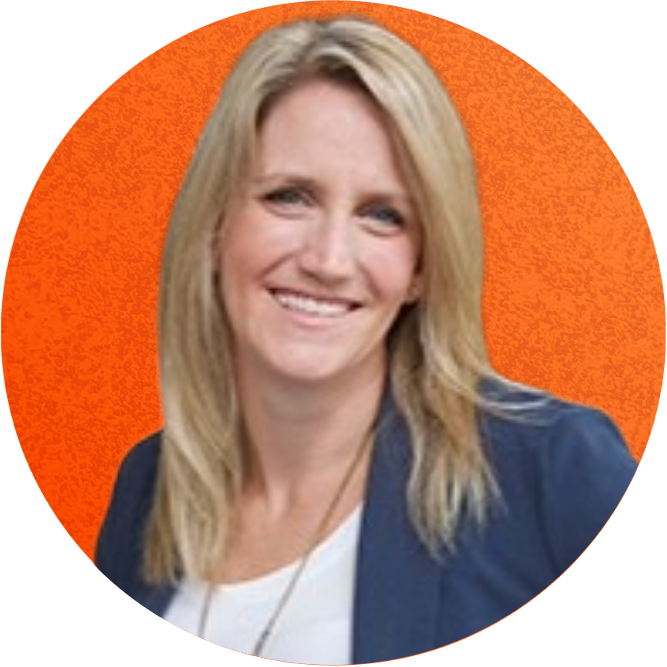
Leah Vusich
Director, Product Marketing
Encircle

Shaun Coghlan
Director, Product
Encircle

Kash Mirza
Sr. Product Manager
Encircle

Mike Aho
Product Manager
Encircle
Get complete and consistent field documentation everytime.
Learn how Encircle can help you and your field teams ease the documentation burden.