LIVETHU. OCT 8TH, 2026 | 12:00PM ET
1 HR
See what’s new in Encircle Product Update Webinar
Always improving, always moving forward
Discover the latest updates designed to save time, reduce pushback, and help your team get more done in the field.

SHAUN
COGHLAN

PAUL
RUNSTEDLER
KASH
MIRZA
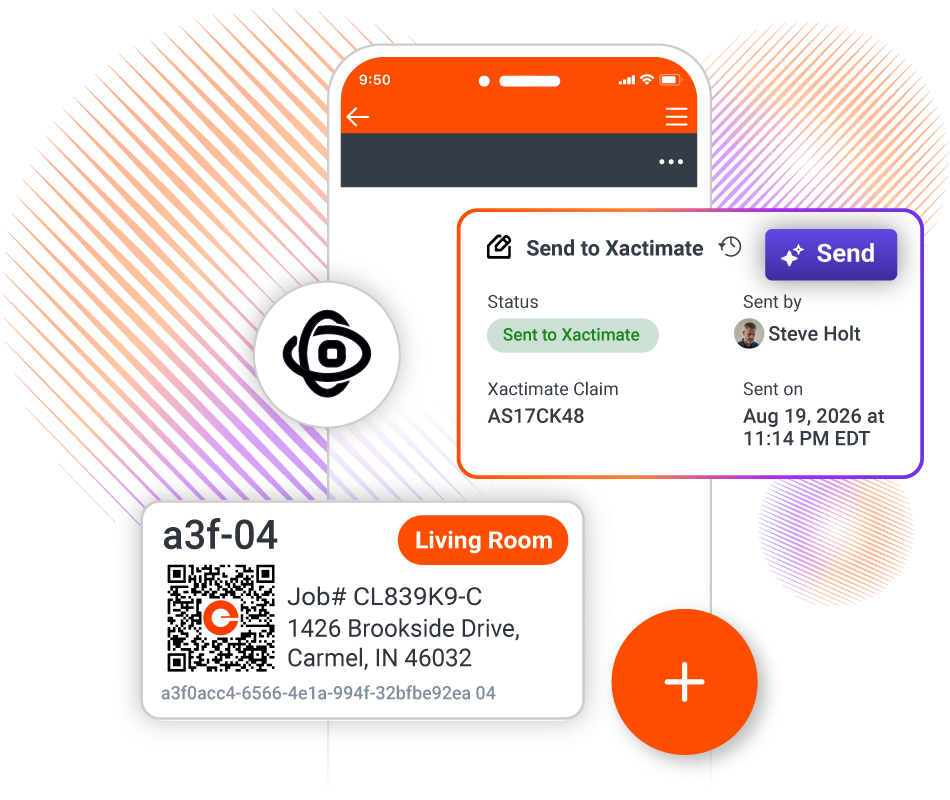
Hello, everyone. Welcome to our What’s New webinar on this beautiful Thursday, October 8. My name’s Leah. I am the Director of Product and Content Marketing here at Encircle. We’re really excited to be here today. I’m gonna introduce, Shaun Coghlan, Kash Mirza, and Paul Runstedler. They’re three of our, Product Managers on our products team. And, they’re gonna be giving you an overview today, of everything that we’ve delivered to to our customers in the last three-ish month, and give a sneak preview of what what they’re currently working on and what we’re gonna be delivering in the next couple of months as well. Just a reminder, this is not a full Encircle training. So we’re… This is designed to be an overview of the new features that have been released in our Encircle app. If you are interested in joining and getting more of a deep dive training, we do offer daily live training sessions. So throughout the webinar today, we’ll be posting links and QR codes to, to join different live training sessions if you want more of that deep dive. I think that’s everything. If we wanna just go to the next slide, couple of updates. So we’re gonna start with an overview of Scope to Estimate, which we launched about a month ago. So Shaun will do that. Paul will give an update on everything that’s new in field documentation. Kash will be covering Contents. We have an update around integrations, and then like I said, we’ll have a live Q&A and a wrap up at the end. So that’s it for me. I will pass things over to Shaun to to talk about Scope to Estimate. Perfect. Thanks, Leah. Hi, everyone. Welcome. Thank you for spending, the next hour with us as we go through kind of everything that we’ve been working on, as Leah said, for the last, three months that we brought to market as well as, kind of talking about a few things that will be coming in the next little while. So let’s get right into it with Scope to Estimate. There we go. Next slide. So Scope to Estimate, as Leah said, we launched this at the end of August. We originally launched Scope back in the April time frame. And since then, we worked really hard listening to the feedback and knowing where we want to go was how do I take this wonderful estimate or wonderful scope that I’ve created and get it where I need need it to be, which is how do I get it into Xactimate? How do I get my estimate going? And, you know, our focus has really been around, you know, for the history of Encircle, how do we make sure that we can help drive efficiencies in everything that you’ve done and that you do and use Encircle for? And we’ve predominantly focused on, being the best and most trusted way to document a job, taking photos, getting the evidence of what happened on the job. You know, as they say, it’s not what you do on the job that gets you paid. It’s what you documented that provides a defensibility to say why you get paid for something. And Encircle has been with you for 13 years, we’re gonna continue to be with you adding adding support for making sure that you can document those job, grab the evidence, and get the defensibility that you need, on every job that you work. And now with the advent of kind of technologies that are allowing us to really quickly take the data that you’ve already captured and drive other efficiencies throughout other processes. So how do I go from what happened on the job to understanding the work that needs to be done? That’s generating the scope. And then how do I take that scope and get it to where I needed to do to create my estimate, create my line items? And these are the features that we worked on really hard this year. And I’ve taken kind of an Encircle approach and a restoration approach. This isn’t just using technology for the sake of using technology. We’re bringing our experience. We are leveraging industry standards, I I c or c, s 500 workflows, best practices to understand the context of the data that you collect in Encircle so that we can then create a context specific scope that details, you know, the things that need to be done based on restoration and based on the specific data of that job. And then taking those things to be done and turning that into your estimate. And that’s something that we’ve worked really hard to and what we’ve brought for the last, the last six months between launching Scope in April and then, taking those scopes and bring it to your estimate, bring it into into Xactimate. I won’t go through kind of the details of how to do it. We’ve done lots of webinars on it. As Leah mentioned, we have weekly and daily training sessions for field documentation. We’ll talk about those later on. But what I wanna talk about is some of the the pain points that, you know, we run into when we’re… When working jobs. If we look at, kind of day one of a job, you know, we’re… Let me put up a poll. We have a poll that we wanna show everyone. And, you know, hopefully, we can get everyone to be honest here is how often are you able to get an initial estimate, on your mitigation work to an adjuster on day one? We know we’ve heard, you know, 24 hour reports. People need to drive those, through… Third day estimate or getting an estimate at the end of the day. But, really, how many of you can actually get an estimate on day one to that adjuster? And if we look at kind of the workflows that exist today or or have existed for a while when trying to create your scope, trying to, create that first preliminary estimate, you know, know, it’s relying on the people in the field gathering the data, getting that information to the project manager who maybe needs to write up the scope, and that project manager could be the estimator or you have a dedicated estimating team, getting them that information. So from, you know, the job that you showed up on and you need to be there to support the homeowner to somehow filtering that information to the estimator as quick as possible. It is really hard to get the right information so you can actually get, estimate on on day one. You… We can see that here from our our polls that, you know, over 70% rarely or never are able to get an estimate to the adjuster on day one. You know? And from the adjuster’s perspective, you know, they need to set a reserve for this job so that better they can get information or the sooner they get information earlier allows them to do their job and then you can work collaboratively. And then as things change over time, as the adjuster or the… Sorry, the estimator starts to investigate the job, and look at all the job file data, things may be missing, and they have to go back and request additional documentation from the field team. Maybe that’s on the same day as that initial inspection. What we’ve heard from our customers, sometimes that is… Or more often than not later in the job and say, well, I can’t take a picture. The job site’s completely changed. We have ripped out the carpet. We’ve done the two foot flood cut. So it’s hard to find the evidence for, the things that you need to add to your estimate later in the job, particularly if those… They were part of that initial initial inspection. So line items get added, but then you don’t have the documentation that makes it hard for it to be defensible. And what we’ve tried to do and what we’ve really been pushing for is how can we help you, like we’ve done for 13 years, gather that information on day one. And this year, how can we take that information and transform it and to be more useful, right away rather than having kind of benefits later on in the job where you now create an estimate and you can get an Encircle PDF report that shows the defensibility. But now we can take that data and create the defensibility kind of on on day one. And our, CTO, he he used this line when we were talking with, kind of a large customer of ours or kind of a franchise network. We’re talking with some of the the the headquarters and leadership there. And, you know, what we’ve done and what we’ve been focusing on is really trying to introduce a fundamental breakthrough in estimating, in restoration, and leveraging technology, AI technology to enable this paradigm shift. And where this conversation… Where the quote really came from from Ronnik was, in talking with kind of the leadership of this organization, they said, man, you know, a lot of our our locations are getting estimates on day five and, you know, things would be really fine if we can get them on day three, and that’s just process and how do we improve process. And, you know, in that conversation, I was like, that’s a that’s a great goal is to improve the process so you can get estimates not on day five, but get that on day three. But we wanna bring a technology that changes all that and allows you to get that preliminary estimate on day one so that your team can talk to the people they need to talk to, whether that is the adjuster if it’s an insurance claim or provide information to your techs. Now what does that all look? Well, let me kick over and kinda show you, kinda what does it look like to have, an estimate here in Encircle. So let me first call up my mobile app. Give me one second. Here we go. Alright. So I’m gonna call up a job. And we’ve talked about this, so I’m not gonna go into the details of how we actually generate a scope. I’ve had that all done, you know. And if you wanna see how that that that works, like we said, we have kind of weekly webinars. You can contact, your account manager at Encircle, and we can… We’re more than happy to show this. So I wanna show you a couple files. And first, I’m gonna show you what is it… What do I mean by how do I get this scope on day one? How does the field do this work? So here’s a simple job that we’ve set up. Think of this as, you know, I’ve been on the site for 30 minutes. I’ve taken a bunch of information. What do I do now? So in this job, we have, kind of the tech did voice to text in our note, created, a really good damage description. You it’s pretty, pretty well thought out. Talked about the various rooms. So the primary bedroom had a leak from a supply line. It went into the hallway to the bathroom into a back bedroom. Because it’s still early in the job, the floor plan hasn’t processed yet. And they’ve taken a bunch of imagery of kind of what was in there, a couple of pieces of equipment that they’ve done. And now what they’re able to do is generate kind of this scope right there on the job site. And from this scope, they can easily look at it and verify kinda how does does this make sense? Is this the information that I want? And, you know, we hear a lot from our customers around, you know, how do I help my team do better documentation and create better documentation with Encircle Scope, taking the data that they already do and running our scope algorithms. They get, you know, kind of the best note, if you will, that they’ve ever created. Creating a narrative, providing, information around the timelines, getting tasks for each of the room. But where we’ve come in and where we’re gonna help your team in the field, not having to wait till later for the estimator to say, hey. We’re missing some information. We have this section that we call data quality, which is of the information that you used that was on the file to generate this scope, how do I, how do I know it was right? Or can you give me any hints as to more information that I need? So in this case, that tech who ran this scope can see, oh, okay. The hallway was affected. I need more I need more photos. There was some information about the different affected rooms, but I need to add a bit more information to make the scope more robust and maybe more defensible. And, ultimately, there’s some critical items here. I did not mention any dimensions. The floor plan hadn’t been processed at this point, but I noted the dimensions for the primary room and the bathroom, but not not the bedroom. So we’ll call that out as a signal to your team before they leave the site that, they need to do and and kinda collect that information. And if you’re back in the office, you can see that exact same file and see that information come in. So even if they weren’t able to look at the scope before they left, you can call them before they’ve kind of gotten too far away from the job and tell them, hey. Go back and and get this information. Again, circuiting the conversation that happens normally today, but after the team has left the site, maybe two or three days after that initial inspection, we can provide that information. Now if you have a fully rounded out job, with the floor plan, with a ton of photos throughout the job. And when you go and look at your scope, you know, the data quality changes. We… That you can run these scopes throughout the job, and we’ll provide information. You can see here on this one, it’s a fairly robust documentation and and and prove the quality that as the job went on, you know, the quality of it… Of the scope gets improved and the defensibility of your estimate gets improved. Now if we go and look at what that looks like on day one with that scope… So that scope I showed you where I had the critical and we had missing information, you can still pull that into Xactimate even without the floor plan. We’ll take the dimensions that you speak and we’ll generate just boxes within the Xactimate sketch. But you can see here, we pull in line items. So on day one, from that scope where the floor plan is still processing, you have photos, you have notes, I generate a scope, then I can send that into Xactimate. And all of a sudden, you know, within hours or less than hours of showing up on the job site, you have this preliminary estimate. It allows your team to look at it, make changes, talk to the adjuster, or even send them this preliminary, preliminary job. And then as the job goes on, rerun the scope, reimport it into your Xactimate project. The full floor plan comes in with fixed features pulled in. Now you can see because there was more data on the file, the estimate is now more robust, recovering more line items, recovering all the work that you did. They’re now placed in the proper locations across the different affected rooms. Your team can still go in, modify that. So we worked really hard to, provide you tools to be able to get from, you know, I gotta wait three and four or till the end of the job to get the estimate to. Let’s have a paradigm shift. Let’s start the conversation with the adjuster on day one, giving them and building a relationship with them, help them do their job, which is set the reserve and work with the homeowner and giving you the defensibility in an estimate that can get the job going. And we think this is gonna be really powerful. And again, like we said, this kind of paradigm paradigm shift in the market. And since we’ve launched back in August with scope to exactly, we’ve had over a 160 of our customers of our locations running and using scope to estimate. They’ve done over 600 jobs. They’ve created multiple estimates. So they’re taking kind of that advice doing a day one scope, setting it to exact amount to get that preliminary estimate. And then later on the job, when it get… Getting close to finish, run it again, and then send that to Xactimate to catch all all the additional work that happened over those days since since the beginning of the job. We’re saving time. And the big thing that we’ve heard from our customers every time that they start using scope and start running estimate, we can get our team and improve the quality of the data. Because the quality of the data always matter whether you wrote an estimate on the last day, the third day, or or the first day. If you don’t have the documentation to back up those line items, you’re you’re gonna end up in a fight in a conversation that you would rather not have because you wanna just keep doing the work and helping that homeowner getting getting recovered from that loss. And we’ve seen people able to use our scope, use data quality to improve the documentation from our team. And so quotes from our customers that have been using it. So this is talking specifically about that day one estimate. This gentleman was kind of… Did the documentation in his in his truck, ran the scope, sent it over to his team. His team expert, and by the time he got back to the office, the estimate was done. And, you know, this is a preliminary estimate. Your team, your experience, your processes still need to be applied, to the scope. So the team does their job, brings their expertise, refines the scope from what we’ve created, refines the estimate, and you’re ready to go. But we really short circuited that you’re no longer starting at that blank page. You know, with this other customer within Scope as well as within Hydro, we have the equipment recommendation, and that has helped them kind of identify where they may have been light on equipment and have the justification as to why they need additional, equipment. And then, again, the time saver of not having to start from a blank sheet every time. We can send over that prelim, that initial estimate, and then you just populate it with the things that either wasn’t documented or some of the best practices that you have or guidelines for a specific carrier that need to have it. And then this one, again, reinforcing that 80% of it was there. My team needed to add that 15% to change it and modify it, review it, ensure that, what what happened and what was documented kinda got covered. So… And we know within an hour, they had an estimate to that customer. So speeding up that process and condensing, and we’re providing you that that support. Now where are we going with Scope to Estimate? We’ve… Know, we’re just getting started. Like I said, in April, we launched Encircle Scope. Last month at the end of August, we launched a Scope to Estimate, bringing that into Xactimate. And that Scope to Xactimate is all kind of on web right now. So working on this either before the end of the year or early early next year, you’re be able to send those scopes right from the field in Encircle to Xactimate. So you can do a data request in Xactimate mobile from Encircle, generate the scope, send it over, right right there from the job site. One of the biggest requests that we’ve had from customers that we’ve been working on since we’ve launched Scope is, you know, this is great. You’re providing us a lot of information, but this job is specific to a carrier and there’s nuances we need to take into a case. Or, you know, hey. We don’t do certain things that kind of maybe recommended, like, you know, say, charging for mobilization. We’re gonna give you the ability to provide us guidelines in our system, both carrier guidelines specific to that job as well as kind of org specific guidelines to help you refine that scope and make it truly yours right from generation and not have to edit as much. So that’s coming kind of early next year as well. Lots of requests for rebuild scopes. We’re building upon, mitigation. We support kind of all the line items today, putting in a flow and helping with the data for rebuild, that’s coming out next year as well. And lastly, dimensions is so important. Our flow per end tool, is fantastic at getting that accurate dimensions. We’re gonna continue to improve and refine that, find ways to, make it easier of connecting the data within our system and kind of getting some of that sketch data earlier so you can have it right away. So these are some of the things that we’re we’re actively working on to continue to refine kind of Scope Scope to Estimate. Now lastly, one thing we wanna do here is… And I think Lee is gonna come come back on here as well. So we love to issue a challenge out out to our customers. I know we… I covered a lot quite quickly, and Paul and Kash only need to keep going. But with Scope to Estimate, we really think this technology that we’ve done, this paradigm shift that we’re we’re helping introduce. We would love for you to help us kind of try try this out. So with Scope to Estimate, contact your Encircle account manager. Reach out. We’ll get you kind of onto a two week free trial. But we’d love for you to take the action of document that day one, generate a scope, and share an estimate with an adjuster on day one. And get the feedback and see how that goes and see how that improves kind of over time as your team starts improving their data quality, and starts improving field documentation and how that relationship with the adjuster adjuster goes on that. Lee, I’m not sure if there’s anything else you wanna add about. We have, you know, sign up here to to add… To kinda reach out to your account managers. Yeah. I believe we’ll be throwing a a link to to this in the chat. That link will send you send send you out to a form that you can fill in to book a book a meeting with your account manager if you’re an existing Encircle customer. If you’re not yet an Encircle customer, this two week free trial is also still available to you. You will just get a a full trial of our our whole platform in addition to Scope to Estimate. So there’s a link in the chat now to book to book that free trial. And like we we saw with that poll at the beginning, over 70% are rarely or never getting that… An initial estimate out on on day one. So this challenge is… This this paradigm shift that we’re we’re suggesting, this challenge that we’re putting out there is to see what happens, see what changes, if you can adjust your workflow to get that initial estimate out on that first day, See how your communication with your adjuster improves. See see if the, you know, time to payment improves. See if the communication is better, if there’s less friction. Just sort of see what those those thing… Those things can do can do for your business. And also see how the data quality can improve your field documentation and how that feedback loop can can help. So… Yeah. Definitely As you get that… And one… I’ll add one thing, Leah. As you get that feedback, let us know. We’re here because of you guys. We’re here to support you. So if there’s feedback you need on any part of our product, you know, you let us know, and we actively take that all the time to continue to refine whether it’s how I take a photo or how I generate a scope and pushing that to Xact. So please send us that feedback, and we can help improve our our product. Great. I’m gonna just do one one quick reminder. There’s a lot of questions going into the chat, and we’re doing our best to answer them. But if you could help us out by putting those questions instead in the question and answer box, it’s it’s just much easier, and your question will probably get answered, much more quickly. So I mentioned at the start, we offer daily live training sessions with our customer education manager, Anna, who is busy in the background answering all of your questions right now. But join her every Friday if you want to get a deep dive into how you can take your field documentation and get it into this review ready scope and an Xact estimate. If you want that, like, deep dive demo of that and to to actually… To learn how to do it, you can click the link that’s in the chat right now or scan the QR code. You’ll learn a little bit more about what it is, the documentation that’s needed to go into it, the workflow that’s gonna get you that day one estimate. Because what we are talking about is a paradigm shift, and we’re asking you to to change a little bit. We’re asking you… We hear a lot from our… Those 160 accounts that have tried Scope to Estimate. The biggest learning is they’re seeing the effects of their documentation upfront, and they’re getting that feedback loop, they’re saying, Okay, I can’t expect a good output if the data that’s going in isn’t good. So the whole mantra of garbage in, garbage out is really showing itself here. So we wanna show you how to how to do those workflows to get the best the best output. So that’s our every Friday live training session. So if you wanna join tomorrow, sign up, and I will be happy to to see you. And I think with that, we’re gonna turn things over to Paul for some discussion around field documentation. Yeah. Hey, folks. Happy to be here. If you just pop over to the next slide. So as I think maybe you mentioned, Shaun, during Floor Plan scanning now, we’ve reenabled the ability for you to be be able to hit record while you’re scanning a room and indicate what the name of that room is. And then when you get your floor plan back, that room name will be properly associated, to the room in your floor plan itself that came out, a little while ago. Next slide, please. Enhance notes. So what what we’re trying to do here is to allow you… While you’re at the job site, while you’ve got a bunch of stuff going on in your head, you’re looking at what’s happening with respect to the damage at the site. Try to get all those notes down even in the stream of consciousness sort of way, not worry too much about what the structure of the organization is or any kind of formatting, spelling. You know, everybody makes mistakes when they’re typing on those tiny keyboards. And the point is to be able to use AI to help you get all the information you can as quickly as you can and then be able to structure those notes, provide summaries at the top, do a scan and improve automatically the select… The grammar and the spelling. And to be able to scan the note also and data mine for action items or tasks that you’ve already stated inside the note. We also provide the ability to translate those notes depending on what you’ve set as your org’s location, country location, and also the language that you support into English, Spanish, and French. I’m gonna do a little demo of this kind of at the end of the field, side of this, but I’m gonna skip to the next slide as well. I’ll do the demo at the end. This is a pretty quick one. Besides the Ricoh camera, we now support Insta360 integration for the 360 photos only. That’s for the X5, X4, and the X3 DS1 cameras. Next slide. There we go. PDF report update. So most of this is out. The big things here for our Encircle PDF reports are being able to specify the number of images that you’re able to see or the number of images that are generated per page on the PDF. So, originally, we supported… It was, a three by four grid maximum, so you get a maximum of 12 images on the page. And regardless of whether those were portrait or landscape, we always crop those to be square and fit them in that grid. We now have two additional options, which is essentially two columns of photos per page, which gets you a maximum of eight if they’re all landscape. It’s probably less if some of them are landscape and some of them are portrait. But with that setting, we’re actually showing the full images, the full photos as well. We’re not cropping them to be square. And then the other setting is one column, which gets you two images per page. And this is to satisfy some carrier requirements that really wanted those reports to have a maximum of two images per page. There’s a couple of things coming out, and I will say in the next two to four weeks that will provide a couple of other quality life improvements around being able to download those reports and also being able to generate reports that aren’t necessarily 10 megs or under, especially in situations where you’ve got a lot of photos for a claim for, you know, hundreds and maybe a couple of thousands of photos, those photos can tend to be pretty compressed with the existing PDF generation that we have. We basically got a setting now that allows you to make sure that the photos are quite legible so that people can see the details without having to click out of the report. And those PDFs end up also because of the nature of the fact that they’re not as compressed as much being a little larger, But we’ve also provided an option to be able to get you back to being able to generate those PDFs that are kind of 10 meg or… 10 megabytes and and under, and that’s kind of an email friendly tag. So that portion’s kinda coming out in the next couple weeks. The different formatting of the number of columns per page on those PDF reports is out now. My… I think I’m in demo mode here, so let me just share. Okay. Righto. Okay. So I’ve just kind of created an example kind of initial inspection, wrote something up super quick, a lot of spelling mistakes and grammar mistakes in here, but it was kind of a stream of consciousness thing. So if I look here, maybe the first thing I want to do is, you know, remove the short forms, make sure that spelling and grammar is great, make this note sound a little bit more professional and maybe a little bit more comprehendible or understandable for anybody who’s looking at it. So if I do spelling and grammar here, I click that. Usually takes about five seconds depending on the note size as well to be able to correct that. And so you see here, all of the same information is contained in this note, but spelling or grammar is corrected, capitalization, the short forms are expanded, etcetera. So the next thing I might wanna do, because it’s a pretty long note, maybe I just wanna create a summary, and I can create a summary. Let me just save this first. So I can create a summary, and I can add that summary to the top of that note, or I can create a brand new note with the summary. For this one, I’m just gonna summarize it and add it to the top of the note. This also takes usually about four to five seconds. So this is the summary here. And then you can see there’s this horizontal line, and you see the rest of the note, the spelling and grammar corrected note underneath it. If you scroll down here, there starts to be some text that talks about some things to do, things that need to be done in the site either today, tomorrow, the next day. So I wanna identify those to dos. So I’ll do that. And what it’ll do is it’ll go… It’ll scour the entire note, figure out what it thinks the tasks are that you’ve denoted, and then add that to the bottom. So now I’ve got a summary. I’ve got the original note, and then I’ve got my to do list. And I can check off those items as they’re done. So I’m gonna save that. And the last thing that I’ll show here is, translate. So I need to translate this to French. So I have my org set in Canada, so it allows French and English. If the… If your org is in The US, then it allows Spanish as well. So this one takes a little bit longer. So now it’s going through my summary, going through the entire note and my tasks, translating that, and adding that to the end of the note. So now I’ve got the English version of that note at the top and then all of that fully translated at the bottom into French, and it’s all highlighted. So if I wanted to, I could undo that. I can undo… I can either tap these undo or redo buttons at the top too if I didn’t want to perform one of these operations. So there you go. No. This is the summary. Right. Right. Right. So then we get back here, and the first half of the note is all the English side. I’m gonna just… I will show the PDF stuff briefly here. Okay. So if I go out of basement and I go into documents, this really just… This is a very, very small claim that I created. I’m gonna use the old PDF report. This really just has four images, and all I wanted to show was kind of the comparison to the reports that were generated before. And then I generate the same report with a maximum of two images per page. So you’ll see one there, a couple there. K. I’m gonna stop sharing. And as far as the future of what we’re doing in field goes, I’m not gonna get too specific, but I’ll say that the things that we’re looking at right now are making it easier for you to capture the photo and note evidence that you need to be able to support the claim and also looking at seeing how we could demarcate some of that information so that we understand its purpose or its objective. Instead of just having a note or a photo that could be anything, we wanna be able to provide some ability and maybe some automatic ability as well to say, what is that photo? Is that photo something that might be associated with the preexisting condition, etcetera? Let you set those things and also use the information that we know and also the information that you already have in the claim to help you… To essentially help guide you so that we can explain, hey. We think there might be things that you’re missing, or you might have gotten enough of this information. Again, I’m not gonna get into too much in the specifics because we’re still working through the details on the best way to be able to do that while allowing you to be able to continue with the workflow that you’re currently using. But I’m pretty excited about that, and I think more to talk about the next time that we have a webinar here. So I’ll pass back to you, Leah. Great. Thanks so much, Paul. Appreciate it. And just like I I mentioned earlier, if you’re looking for a more of a deep dive into field documentation, so core documentation best practices around photos, videos, capturing three sixties in Encircle, creating notes, damage descriptions, those types of things, and and and creating floor plans and capturing measurements. All of that is covered in our field documentation excellence live training session that happens every Monday with Anna from 11:00 to 12:00 Eastern. So the link for that is is in the chat, or you can scan the QR code and and register to join that session every Monday. This is a great one to send your field teams to. If you’re struggling with your field teams to to get the documentation that’s needed, definitely send your… Sign your sign your teams up for these live training sessions. That’s what we’re here for. Okay. I think next, we’re going to move on to to Contents with Kash, and he’s gonna reiterate some of the really exciting stuff that that we’ve launched in the last, three to four three to four months. Awesome. Thank you so much, Leah. Yeah. I’m very excited to showcase some of the stuff that we’ve been doing for Contents. We’ve been very busy over the last couple months, and, we’ve got a lot of cool stuff coming that I’m looking forward to showcase as well. So if we just go to the next slide here for, a lot of you, you’ve seen we’ve, released scan to pack QR codes. It’s been very, very successful. You are able to generate custom QR code labels. You are… Don’t need to have any custom hardware. We’ve got universal QR code labels that work across any claims, and we have full offline support for a lot of this QR code functionality. If we go to the next slide, we have more recently, made some specific updates to what we call scan to track. And the value here really is taking the improvements we’ve done to QR code for packing out and allowing you to use those same QR code scanning to track boxes, to associate them to locations, to be able to see at a glance where specific boxes are, and then also, provide you bulk updates and a couple other functionality that just makes it easier for you to track, a box throughout its whole life cycle over a job. So, I’m going to showcase this as well as a bunch of other functionality in a single demo at the very end. But, yeah, definitely a lot of great stuff, on the tracking portion of this as well. If we go to the next slide, we’ve also made some updates on the web version of the app. So we have released, we call the item inventory manager. This allows you to have what we call your one stop shop for everything Contents on the website. So you’re able to easily find items, have advanced searching and filtering and sorting. You’re also able to review items quite easily, search for brand disposition, etcetera. We also provide callouts for missing fields like descriptions. We provide bulk actions as well as we allow you to have a quick view on item locations and box information at a glance. More recently, we’ve been getting a lot of feedback on this table in particular, and we’ve been making a lot of improvements to make this page function as best as possible for your needs. So I’ll walk through some of those additional enhancements as well when we go through the demo. And then last but not least, something that is coming up. In November, we will be releasing an update that just makes it a lot easier to capture multiple photos while you’re out in the field. This is a very common practice, of course. And for users that are, currently using the contents flow, you’re typically capturing additional photos via notes. The functionality when it comes to notes is going to remain the exact same, so don’t worry. All your notes will work the way that they do, and they’ll function the same on reports and downstream. But what we’ve done is we’ve made it that much easier to capture those additional photos into notes from within the camera view. I’ll show you in the demo, but what it is really is the ability to click the notes button, immediately stay in the camera, snap multiple photos. You don’t have to kind of set a specific title. We allow you to have prepopulated the most common note titles as well as we’ve removed the need to set text or photo notes. Everything is just kinda happening automatically for you. So the goal for this really is to make sure that you, when you’re capturing items, are able to stay within the flow, focus on what’s in front of you, and document as easy as possible. So I’m really looking forward to showcasing that as well. And like I said, that’s something that is coming out quite soon as well. So I’m gonna switch right into the live demo and show you what this looks like on the device. So I’ve got my phone here, and so I’m going to open the Contents camera. And I’m just gonna take a picture of this book as an example item. You can see that it’s already analyzing via AI descriptions and processing the description. Oh, it’s already done. It takes a couple seconds. But, once that’s done, I’ll just show you what it’s like to scan something via QR code. It’s quite easy, actually. If you open, this box scanner here, you simply just scan a box, and there, it’s associated to a QR code. One of the things, like I mentioned, that we’re making an enhancement to is multi… I… Multiphoto capture. So if you click this note button now, what you’re actually able to do is it brings you straight to the camera view where you’re able to now capture multiple photos immediately. So let’s say you wanted to take a photo of the back of the book. Let’s say there was some damage along the spine. And so you just are able to snap, snap, snap, take all the photos that you need for any of the items that you’re looking at. And you don’t have to set a title. It defaults to what you can see at the top here as additional photos, but you are able to quickly access the most common titles for these additional photos like preexisting damage, for example, or if you wanted to specify damage and have it be specific types. Let’s say there was fire damage along the spine of the book or there was something else specific. You’re able to quickly set the title of the note at a glance. And one of the most important things is that none of the functionality is being taken away. This is still fully functioning as a note. So if you click into the right here, you’re able to add any additional details, change the title, change the, kinda specifics of the note, and work with notes the same way that you always have. But it just allows you to quickly get to where you need to go when it comes to, this additional photo capture. And when you go back to the notes view here, you can see that the additional photos are captured, the note is captured, and it’s just a lot easier of a workflow. I’m going to switch gears a bit now and so show you what it’s like to capture and track locations. So let’s say, for example, you have a box in front of you and you want to see the items that are in that specific box, you’re actually able to, from the box list, simply scan a specific box, and then the dedicated box page will show up, which shows you the location, the box type, who packed it, what dispositions of the items that are in there, as well as the, items themselves. So you can see here, you can also drill down into the specific item and see the details for it there. You are also able to, and I’ll just do a quick switch, search for a box specifically from your phone’s native camera. So if you scan here and you open it, you can see that the actual box page opens from a scan of your native camera regardless of whether you have the job open, whether you have the app open, etcetera. It’ll open the claim. It’ll open the box. And so if you have a box that’s in the corner of a warehouse or something that you found, you are able to quickly and easily just access the information of the specifics of the box’s contents. When it comes to locations, and this is the last thing that I’ll demo on the mobile side, you’re able to track multiple different items via QR codes via location scanning. And the way that that works is actually quite simple. You select a location, like, let’s say, Vault C. By clicking the scanning icon here, you’re able to scan multiple QR codes into the location just by scanning. And you can see that the scanning can be done in bulk, so you never really have to leave the, scanner page. You simply scan the boxes as they are being moved, and then all of those boxes are moved and tracked into the new location. So you’re able to not only track live, but you’re able to provide yourself a degree of quality control, you could say, to validate and make sure that the boxes that you’re moving are correct and accurate. So there’s a lot of stuff to showcase for sure on the mobile side, but like I said, feel like it’s going to be very, very impactful. Where I’m gonna end off the demo is to just do a bit of a preview. Sorry. Just give me one second. A preview of the experience on web. So I’m just gonna share this. So on the web view, we have the new item table, like I mentioned. And you can see here the item table allows you to have multiple different options to sort. You can sort by box ID. See here. So you can see the items that are in specific boxes. And you can see that even if items are sourced from different rooms, you can see the box IDs gonna track appropriately, and you can see that the box IDs and the QR code IDs here are interchangeable. You’re able to see the location that the boxes are in. You’re also able to change the sort. So a lot of folks like to sort by specific item number. So you’re also able to sort by item number and see all of the, items sorted by their item. You’re also able to do bulk action. So let’s say you wanted to select multiple items and then just set their disposition. You’re able to set the disposition for multiple items with a single click, and then the disposition is updated for several different items as well. We’ve made a lot of quality of life improvements based on feedback. Big one is that we’ve doubled the size of the images on this page, but we’ve also added the ability to… Let’s say you’re looking at this image and you want a bigger… A closer look, hover over the image to be able to see a bigger view of it. So this lets you have access to all the functionality of the table, but also be able to, at a glance, see the specific item and the details that you need to see for it. So if you’re filtering everything by a specific room and you wanna see all the items in a room, you’re also then able to zoom into it. You’ve also increased the number of items per page up to 200 and added the ability to sort and filter by, when the items were created so you can get a chronological view as well of the job as it has progressed. So you can see there’s a lot of functionality and power behind this table to let you view and audit the job, however you wish after it’s completed. So, like I said, a lot of stuff that I’ve shared there, but very, very excited for the impact that these additional features that we’ve done and are going to build will have. Great. Thanks so much, Kash. And I’m sounding like a broke record now, but if you want more of a deep dive into content, there’s been some really great questions that have come up that Anna’s been Anna’s been answering. So if you want to to see Anna in action for… Around content, so speeding up contents inventory and packets, she does a content specific live training session every other Wednesday, so walking you through capturing on-site on-site contents documentation, how to manage inventory across items, boxes, and locations, and how to generate contents report for your various stakeholders. So definitely click the link and and join one of our live training sessions if you want a bit more of a deep dive into content. Next slide. Shaun, I’m gonna kick things back over to you to wrap things up for for what’s coming, and then we’ll we’ll jump into some Q&A. Yeah. Perfect. Thanks, Leah. Yeah. The one one last thing that we wanted to talk about, this has been a request for quite a while. We’ve been working with Cotality. They’ve opened up their API. So we’re now actively working on a DASH integration between Encircle, well, and DASH. What this means is from within DASH, when you create a when you create a project in DASH, that will automatically create a project in Encircle, and data from Encircle will flow kind of automatically in… Into DASH. So we’re actively working on this as we get closer to launch. Obviously, we’ll provide all the materials and training on on how we do it. I think our goal is, before the end of the year, we can start making this to… Available to some of our customers. So request for a long time. I’ve been here six years. I think it’s been on the… On that list since then. With the partnership between Kotality and Encircle now and the… Us getting access to the APIs, we’re actively working on it. So, yeah, super exciting to be able to bring that to light after all these years. I think that’s it, Leah. I think we’re now now done. We we are done we’re done with the updates, and we’re right on schedule. So that’s that’s great. Well done. There have been a couple of questions or lots of questions coming in. Most of them have been answered. Kash, if you wanna come come back on camera. I did see a question come through around printers and specifically printing QR codes. Would… Is the suggestion that people would need to have a printer on-site with them, or can… Is there a recommendation for a type of printer that can be used on-site? Yeah. I can I can walk through that? So for QR codes, what we do is we support, I would say, two specific types, of printers. We support, Avery label templates, both two inch by four inch and three… And a third inch by four inch. Those Avery label printer templates can work with any printer that you have, so any common printer. Once you get the sticky labels in… And you can have those on-site. You can have them at the warehouse. You can preprint them. So there’s a lot of flexibility as to how you want to have, those printers set up. We also support, desktop direct thermal labels, four inches by two inches and four inches by six inches. Those are more, I would say, industrial printer setups, so they might be a bit bigger. But those also give you some flexibility to print a lot of, QR code labels as you need them, in bulk. Those desktop direct thermal labels, depending on the type of printer that you do have, also allow you to, say, preload a certain number of labels and then just generate them as you go. And so there’s an option there for you to kind of set it up and then have it generate the labels as you complete the job. But what we do is we generate the templates, and then there’s a ton of flexibility based on the hardware and your needs and what you wanna have set up to allow you to get your job done. So Great. There’s another another question that came in, and I think maybe we’ve answered a couple of these questions already. But can you share a bit of insight into how does content’s information, I’m gonna say integrate with Xactimate? I know that it doesn’t necessarily integrate with Xactimate today, but can you give us some insights into where that might be going? Yeah. Definitely. So we are definitely interested in looking into integrating it into Xactimate. As Shaun mentioned, we are making a lot of exciting improvements when it comes to scoping and estimating and definitely wanna take some of those learnings to, some of the things in the content space. There isn’t anything specific that we can share timeline wise, but it is something that the teams are actively working on, and it’s something that we’re very, very interested in because we know that when it’s… Comes to time and materials, boxes, being able to generate those line items, there’s a lot of value for folks. So it’s definitely a big focus for us for sure. Great. Shaun, there’s been a lot of, feature requests or product improvement requests that have come through. I’ve been answering some of those questions. I know that you and and the other PMs love to hear from customers and talk to customers. What’s the best way for people to to to reach out to you guys? Yeah. I think the best way to reach out to Encircle in general is if you’re an existing customer, you have a dedicated account manager. And if you’re relatively new, you’re kind of your customer activation manager. That’s why the single best way to reach out to your your main Encircle contact. They have direct lines to myself and all the other product managers. If we’ve had conversations before, you have our emails, feel free to reach out to us. We do have a general product email, so product@encircleapp.com. And if you send those in, you know, we’ll take that and consolidate it as part of our feedback. And if we need to, we’ll reach out for for more information. But as Leah said, we are more than happy to talk with you, talk with our customers, and even potential customers to understand how can we just make our app better to serve to serve your needs because, ultimately, that’s what we’re we’re here for. Paul, Shaun, Kash, thanks so much for sharing today, and we will see everybody next quarter for another quarterly product update. Thanks, everyone. Thanks, everyone. Take care, everybody. Thank you.
This 1-hour live session is your chance to see the latest Encircle updates in action, hear directly from our product team, and get a sneak preview of what’s coming next.
Whether you’ve been using Encircle for years or you’re still deciding if it’s right for your team, this session will show you how we’re always listening and continuously improving to better serve the restoration industry.

Key Highlights:
Scoping & Estimating:
Encircle Scope to Estimate: Xactimate integration✦
Scope Data Quality Review
Field Documentation:
Insta360 Integration
Enhanced Notes✦
PDF Report Updates
Contents:
QR Codes: Scan to track location tracking
Item Inventory Manager
New capture flow for notes/multiple photos
Plus, you’ll get a sneak peek of what’s coming from Encircle